
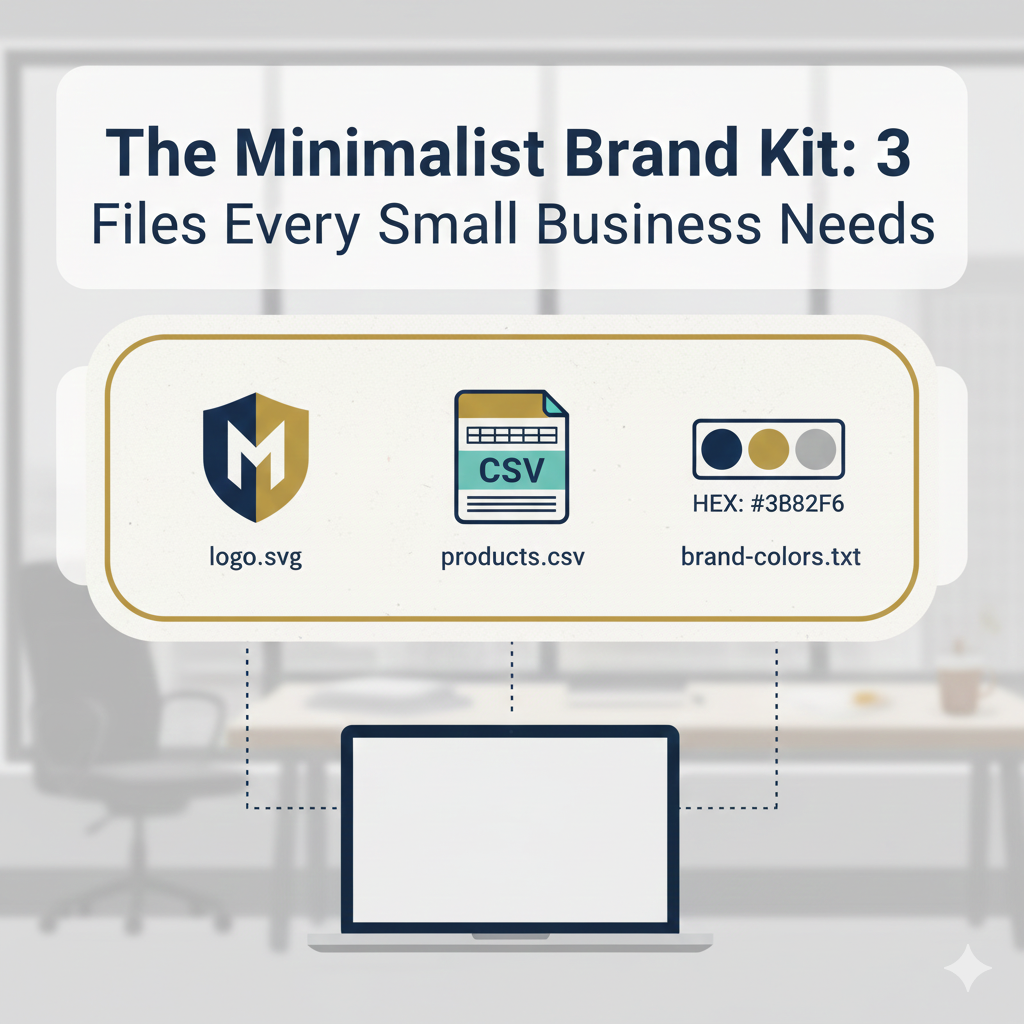
A guide to creating a high-functioning, lightweight brand folder that avoids "file bloat" and ensures consistency across social media and print.
You've been there. A printer asks for your logo. You dig through folders named "Logo_FINAL_v3_REAL" and "Branding Assets 2023 (copy)." Twenty minutes later, you send a pixelated JPEG scraped from your Facebook page. The printer sighs. You sigh. Everyone sighs.
Or maybe a contractor needs your product list for a catalog. You email a Word doc. They ask for a spreadsheet. You copy-paste into Excel, breaking formatting along the way. Two hours of your life, gone.
This friction isn't just annoying. It's expensive. Every minute spent hunting for files or reformatting data is a minute not spent on your actual business. Multiply that across every vendor interaction, every platform update, every "can you send me your logo?" email, and you're looking at days of lost productivity per year.
The solution isn't more files. It's the right files.
Most "brand kit" advice tells you to create elaborate style guides with dozens of assets. That works for companies with dedicated design teams. For everyone else, it creates a maintenance nightmare. Files get outdated, versions multiply, and the kit becomes more confusing than having no kit at all.
Here's how to build a brand kit that actually works: three files that cover 90% of your needs while staying simple enough that you'll actually maintain them.
File #1: The SVG Logo (Your Master Key)
If you keep only one brand file, make it an SVG of your logo.
SVG stands for Scalable Vector Graphics. It describes your logo mathematically rather than as a grid of pixels. Instead of saying "pixel 1 is blue, pixel 2 is blue, pixel 3 is white," an SVG says "draw a circle with radius 50 at position X, Y." This difference solves almost every logo problem you'll ever face.
Why SVG beats everything else
Infinite scaling. Blow it up for a billboard or shrink it for a favicon. The math scales perfectly, so there's no pixelation. That JPG you've been using? Zoom in and you'll see the jagged edges. An SVG stays crisp at any size.
Tiny file size. Most SVG logos are 5-50KB. Compare that to a high-resolution PNG that might be 500KB or more. Your email signature, website load times, and storage limits will all thank you.
Universal compatibility. SVGs work in web browsers, design software like Canva and Figma, office tools like PowerPoint and Google Slides, and most professional print workflows.
Easy conversion. Need a PNG for a specific platform? A PDF for a printer? An ICO for a favicon? Any designer or free online tool can export an SVG to these formats in seconds. You keep one file and generate whatever you need on demand.
Think of your SVG as the "source code" for your logo. You can generate any other format from it, but you can't go the other way. A JPG can never become a clean vector. Once those pixels are baked in, the mathematical information is gone forever.
How to get one
If a designer created your logo, ask them for the SVG or original vector file. AI, EPS, and PDF are also vector formats. Most professional designers deliver these by default. If they didn't, reach out. They almost certainly have the source file archived.
If you designed your logo yourself, export from whatever tool you used. Canva, Figma, Illustrator, Inkscape, and most modern design tools support SVG export. Look for "Export" or "Download" and select SVG from the format options.
Don't have a vector version at all? That's worth fixing. If your logo only exists as a JPG or PNG, consider having it redrawn in vector format. This usually costs $50-200 for a simple logo, and it's a one-time investment. Every future use of your logo will be cleaner, more professional, and easier to work with.
One logo, multiple uses
Here's what a single SVG file gets you, with no additional files needed:
- Website header and favicon
- Social media profile pictures on all platforms
- Email signature
- Business cards and letterhead
- Merchandise and promotional items
- Trade show banners
- Vehicle wraps
One file. Endless applications.
File #2: The Product/Service CSV (Your Single Source of Truth)
Every small business has a list. Products, services, menu items, locations, team members, pricing tiers. This list lives in your head until someone asks for it, at which point you reconstruct it from memory, old invoices, and sticky notes.
The result? Inconsistencies everywhere. Your website says one price, your printed menu says another, and the spreadsheet you sent the distributor last month is already outdated.
A simple CSV file fixes this permanently.
Why CSV
CSV stands for Comma-Separated Values. It's the universal language of structured data, and it's just text with commas separating values. That means it opens anywhere: Excel, Google Sheets, Apple Numbers, LibreOffice, or even Notepad. No special software required, no compatibility issues, no "I can't open this file" emails from collaborators.
More importantly, CSV is what platforms actually want. When you need to bulk-upload products to Shopify, WooCommerce, Squarespace, Etsy, Amazon Seller Central, or Facebook Shops, they all accept CSV. When you need to send a product list to a retailer, distributor, or catalog publisher, CSV is the format that just works.
Maintaining a clean, current CSV means adding a new sales channel takes minutes instead of days. Your product data is ready to go. You just upload it.
What to include
Start simple. A basic product CSV might have these columns:
- Name: The official product name, exactly as you want it displayed
- SKU: A unique identifier (even if you make one up, like "TSHIRT-BLK-M")
- Description: A sentence or two about what it is
- Price: Current retail price
- Category: How you'd group it, for filtering and organization
That's five columns. You could add more: weight for shipping calculations, dimensions for packaging, variants for sizes and colors, inventory counts, wholesale pricing. But starting lean means you'll actually maintain it. A simple CSV you update regularly beats a comprehensive one you abandon after a month.
Example structure
Name,SKU,Description,Price,Category
Classic Tee Black,TEE-BLK-001,100% cotton crew neck tee in black,29.99,Apparel
Classic Tee White,TEE-WHT-001,100% cotton crew neck tee in white,29.99,Apparel
Logo Mug,MUG-001,12oz ceramic mug with company logo,14.99,Accessories
Nothing fancy. Just clean, consistent data that any platform can understand.
The maintenance habit
Set a calendar reminder. Once a month, spend 15 minutes updating your CSV. Add new products, remove discontinued ones, adjust prices, fix descriptions. This small ritual prevents the drift that makes product data unreliable.
When you suddenly need to update your website, send a catalog to a retailer, or onboard a new e-commerce platform, your data is ready. No scrambling, no reconstructing from memory, no "let me get back to you on that."
File #3: The Brand Colors Reference (Your Visual Constitution)
"What blue is that?" is a question that has launched a thousand inconsistent social media posts.
Your brand probably has colors you use repeatedly. But do you know their exact codes? More importantly, does your contractor? Your social media manager? The print shop? Without a reference, everyone guesses, and "close enough" compounds into a brand that looks slightly different everywhere.
The three color codes you need
For each brand color, record these three formats:
HEX: For web and digital use, like #3B82F6. This is what web designers, social media tools, and most digital platforms expect.
RGB: For screen design, like 59, 130, 246. Used in video editing, presentation software, and some design tools.
CMYK: For professional printing, like 76, 47, 0, 4. Printers work in CMYK, and RGB colors can shift dramatically when converted. Specifying CMYK upfront ensures your printed materials match your digital presence.
A simple text file works fine:
PRIMARY BLUE
HEX: #3B82F6
RGB: 59, 130, 246
CMYK: 76, 47, 0, 4

DARK GRAY
HEX: #1F2937
RGB: 31, 41, 55
CMYK: 44, 26, 0, 78
A styled PDF with actual color swatches looks more professional if you're sharing with external partners. Either way, the goal is one place where anyone can find the definitive answer.
Keep it short
Resist the urge to define fifteen colors "just in case." Most small businesses need three to five at most: a primary color, a secondary color, a neutral (usually a gray or near-black), and maybe an accent for calls-to-action or highlights. More colors mean more chances for inconsistency and more decisions for everyone using your brand.
Constraints breed consistency. A tight color palette makes your brand more recognizable, not less.
Putting It Together: Your Brand Folder
Create a folder called "Brand Kit" and put these three files in it:
- logo.svg
- products.csv
- brand-colors.txt
That's it. No subfolders. No versioning chaos. No "Assets_FINAL_really_final_v4." Three files that answer 90% of the questions anyone will ever ask about your brand assets.
Keep this folder in cloud storage. Google Drive, Dropbox, iCloud, OneDrive, whatever you already use. Share it with a link. When a contractor needs your assets, you send one link instead of hunting through emails. When a new team member joins, they have immediate access to everything they need.
What to Leave Out
The minimalist brand kit works because it resists bloat. Here's what not to include:
Multiple logo variations. Generate PNGs, JPGs, and other formats from your SVG when needed. Don't stockpile them. They become outdated and create confusion about which file to use.
Old versions. Archive them elsewhere if you must, but your kit contains only current files.
Social media templates. These live in your design tool (Canva, Figma, etc.), not your brand kit. They're working files, not reference assets.
Marketing copy. Important, but a different system. Mixing copy documents with visual assets creates clutter.
Photos. Too large, too numerous, too frequently updated. Maintain a separate image library.
The brand kit is for foundational assets that rarely change. Everything else has a different home.
The Payoff
A minimalist brand kit changes how you operate. Instead of scrambling when someone asks for assets, you respond with confidence. Instead of "let me find that," you say "here's the link."
What this looks like in practice:
- Onboarding contractors in minutes, not hours
- Consistent branding across every platform
- Quick updates when prices change or you add products
- No more "which file is the right one?" moments
- Professional interactions with printers, designers, and partners
Three files. One folder. Zero excuses for brand inconsistency.
The best systems are the ones simple enough to actually use. Build your minimalist brand kit this week and stop losing hours to file chaos.
Need help creating these files? Fix42 has free tools for converting images to SVG, building and formatting CSV files, and extracting color codes from your existing designs. No sign-up required.
Kingsley Michael
FounderCreator of Fix42, building free tools that solve everyday digital friction. Passionate about making powerful utilities accessible to everyone without subscriptions or data harvesting.
Share this article
Related Articles
The Format Nobody Wants But Everyone Needs: Why SVG Matters
SVG has a perception problem. It's "too complicated," "not worth it," or "just for designers." But ignoring SVG is costing you money, performance, and user experience. Here's the uncomfortable truth.
Why Your Designer Friend Won't Stop Talking About SVGs
Ever wonder why designers get so excited about SVGs? Here's the non-technical explanation of why vector graphics are actually pretty amazing (and why you should care).
The Great Format Wars: When JPG Met PNG at a WebP Party
A hilarious tale of image formats battling for digital supremacy, browser politics, and why your photos are having identity crises.
Mastering CSV Data Processing
Learn advanced techniques for handling large CSV files efficiently, including best practices for data validation, transformation, and analysis.
Discussion
Start the conversation
Leave a comment
Loading comments...